

Open Google Search Console for almost any Malaysian SME website and you’ll find the same warning buried in the Experience section: “Poor URLs detected. Core Web Vitals.” Most business owners see it, aren’t sure what it means, and close the tab. Then they wonder why their rankings plateau despite publishing new content and collecting good reviews.
Core Web Vitals are not a technical problem that only developers need to worry about. They’re a ranking signal — Google’s way of measuring whether your website is actually pleasant to use, not just pleasant to look at. And for Malaysian business websites built on cheap shared hosting, heavy WordPress themes, and uncompressed images, the scores are often quietly damaging.
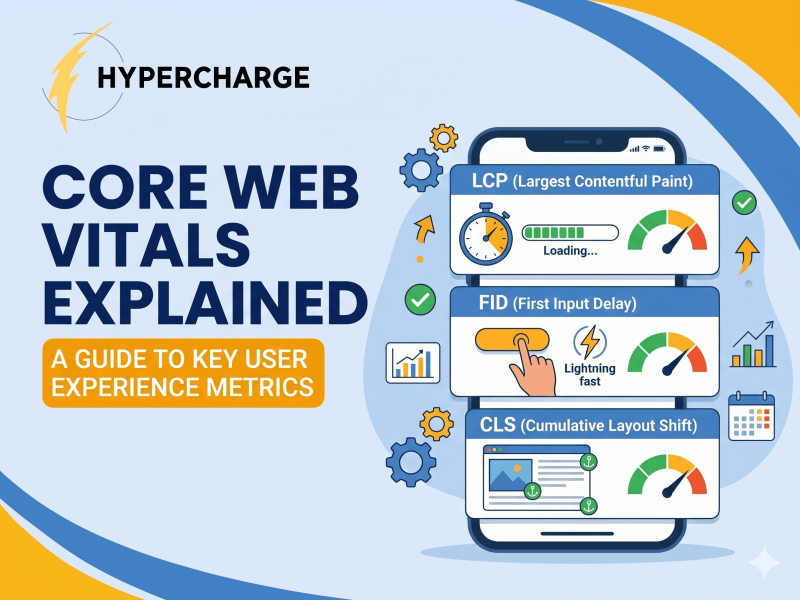
Core Web Vitals are three specific measurements Google uses to assess how good a webpage feels to use: how fast it loads, how quickly it responds to interaction, and how visually stable it is while loading. They are an official Google ranking signal. For Malaysian business websites, failing these metrics can quietly suppress your rankings — even if your content is excellent.
This article explains each metric in plain language, shows you how to check your own scores in under five minutes, and tells you what to actually do about the results.
📌 Key Takeaways
- Core Web Vitals are three measurements — LCP, INP, and CLS — that Google uses to assess whether your website is pleasant to use
- They are an official Google ranking signal, confirmed by Google Search Central
- Malaysian websites commonly fail these metrics due to cheap hosting, unoptimised images, and bloated WordPress themes
- You can check your scores right now, for free, using Google PageSpeed Insights or Search Console
- LCP (loading speed) is the most impactful metric to fix first — it has the biggest ranking effect
- Fixing Core Web Vitals is a developer task for most SMEs, but knowing your scores lets you have an informed conversation about priorities
What Core Web Vitals Are — In Plain Language
Think about the last time you opened a website on your phone and something frustrated you — the page took ages to show anything useful, a button didn’t respond when you tapped it, or the layout suddenly shifted and you accidentally tapped the wrong thing. Those frustrations are exactly what Core Web Vitals measure.
According to Google’s official Core Web Vitals documentation, there are three metrics: LCP, INP, and CLS. Each one captures a different dimension of user experience.
LCP — Largest Contentful Paint (Does Your Page Load Fast Enough?)
LCP measures how long it takes for the largest visible element on your page to fully load. This is usually your hero image, a large heading, or a prominent banner — whatever takes up the most space above the fold.
What good looks like: Under 2.5 seconds. Needs improvement: 2.5 to 4 seconds. Poor: More than 4 seconds.
For a Malaysian clinic with a large hero photo of the doctor and clinic interior, that image is almost certainly the LCP element. If it’s a 3MB JPEG served from a shared hosting server in Singapore with no caching, it’s probably loading in 5–8 seconds on a mobile connection. That’s a failing score.
LCP is the most important of the three metrics for SEO purposes. It’s the one that most directly affects whether a visitor stays or leaves — and Google knows this from its own click behaviour data.
INP — Interaction to Next Paint (Does Your Page Respond Quickly?)
INP replaced FID (First Input Delay) as a Core Web Vital in March 2024. Where FID only measured the delay on the very first interaction, INP measures the responsiveness of all interactions throughout the page visit — taps, clicks, keyboard inputs.
What good looks like: Under 200 milliseconds. Needs improvement: 200 to 500 milliseconds. Poor: More than 500 milliseconds.
In practice, INP failures are most common on pages with heavy JavaScript — pages with live chat widgets, multiple tracking scripts, form builders, and animation libraries all running at once. The visitor taps a button. Nothing happens for half a second. They tap again. The page stutters. That’s a bad INP score in real life.
CLS — Cumulative Layout Shift (Does Your Page Jump Around?)
CLS measures how much the page layout shifts unexpectedly while it’s loading. You’ve experienced this: you’re about to tap a “Book Appointment” button and the page suddenly shifts — an ad loads above it, pushing everything down — and you accidentally tap the wrong thing.
What good looks like: 0.1 or less. Needs improvement: 0.1 to 0.25. Poor: More than 0.25.
CLS is usually caused by images without defined dimensions, ads or embeds that load after the text, or web fonts that swap in late. It’s the most fixable of the three metrics — often resolved with a few lines of code — but it’s also surprisingly common on Malaysian business websites that use page builder templates.
Do Core Web Vitals Actually Affect Your Google Rankings?
Yes — but with an important nuance. Google has confirmed that page experience, including Core Web Vitals, is a ranking factor. However, Google has also been explicit that page experience is a tiebreaker, not a trump card. A page with excellent content and poor Core Web Vitals will still outrank a page with poor content and perfect scores.
What this means practically: if you’re already publishing quality content and building authority, fixing Core Web Vitals is what allows that content to reach its full ranking potential. It removes a ceiling. It won’t take a thin page to number one, but it can push a strong page from position 4 to position 1 when your competitors’ scores are similarly weak.
For Malaysian SME websites — where many competitors are on cheap hosting with unoptimised sites — your Core Web Vitals score is often genuinely differentiated. Getting to “Good” across all three metrics while your competitors remain “Poor” is a real competitive advantage, not a marginal one.
Why Malaysian Websites Struggle With Core Web Vitals More Than They Should
Three causes account for the majority of Core Web Vitals failures on Malaysian business websites.
Shared Hosting on Cheap Plans
Most Malaysian SME websites are hosted on shared hosting plans costing RM10–RM30 per month. On shared hosting, your website shares a server with hundreds of other websites. When those other sites have traffic spikes, your site slows down. Server response time — which directly affects LCP — is hard to control on shared hosting.
The fix is either moving to a better hosting plan (managed WordPress hosting like Kinsta or SiteGround, or a VPS) or implementing a CDN (content delivery network) like Cloudflare. A CDN caches your content on servers closer to your Malaysian visitors, dramatically reducing load times without changing your hosting plan.
Unoptimised Images
A website redesigned by a local agency three years ago often has every image uploaded at full camera resolution — 4000px wide, 5MB per file — because nobody told the client to compress images before uploading. Those images are being served to mobile visitors on LTE connections who abandon the page before the hero image even renders.
The fix is image compression (tools like TinyPNG reduce file size by 60–80% without visible quality loss), converting images to WebP format, and adding width and height attributes to image tags to prevent CLS from layout shifts as images load.
Bloated WordPress Themes and Plugins
The most common website setup for Malaysian SMEs is WordPress with a premium theme — Divi, Avada, Elementor Pro — plus 20–30 plugins covering contact forms, sliders, chat widgets, Google Analytics, SEO tools, and various others. Every one of these loads JavaScript and CSS files.
The result is a page that has to download 40+ files before it can render properly. INP scores suffer because the browser is busy processing scripts. LCP suffers because useful content is behind a queue of loading resources.
This is covered in depth in the technical SEO guide for WordPress sites — including which plugins create the most overhead and what can be safely removed or replaced.
How to Check Your Core Web Vitals Score Right Now
You don’t need a developer to find out where you stand. Two free tools from Google will show you your scores in under five minutes.
Google PageSpeed Insights
Go to Google PageSpeed Insights and enter your website URL. The tool runs your page through Google’s Lighthouse performance auditor and returns:
- A performance score from 0–100
- Your LCP, INP, and CLS values with pass/fail status
- A list of specific issues to fix, ranked by potential impact
Run it for both desktop and mobile. Mobile scores are what matter most for Google’s ranking assessment — Google uses mobile-first indexing, meaning it primarily evaluates the mobile version of your site. Most Malaysian websites score significantly worse on mobile than desktop.
The results page gives you an “Opportunities” section listing exactly which fixes would have the highest impact on your score. This is your prioritised to-do list.
Google Search Console Core Web Vitals Report
If you have Google Search Console set up (which every Malaysian business website should — it’s free and essential), navigate to Experience → Core Web Vitals. This report shows your scores across all pages, not just the homepage, using real user data rather than a simulated test.
The Search Console report is more valuable than PageSpeed Insights for understanding your site-wide situation. It groups your URLs into “Poor,” “Needs Improvement,” and “Good” categories and tells you which specific issues are causing failures across your pages.
If Search Console isn’t set up yet, that’s worth doing before anything else — the full Malaysia SEO guide covers the setup process and what to monitor from day one.
What Good Scores Look Like — And What to Prioritise First
If your scores come back mixed — some metrics passing, others failing — here’s how to prioritise.
Fix LCP first. It has the most direct impact on how your page feels to visitors and carries the most weight in Google’s page experience assessment. The most common LCP fix is image optimisation: compress the hero image, convert it to WebP, and add a loading=”eager” attribute so the browser prioritises it.
Fix CLS second. It’s usually the quickest win. Adding dimensions to images (width and height in your HTML or CSS) prevents the layout shifts that cause most CLS failures. This is a 30-minute developer task on most WordPress sites.
Address INP third. This is typically the most technically complex fix — it requires identifying which JavaScript is creating input delays and either removing it, deferring it, or replacing it with a lighter alternative. A performance-focused developer needs to handle this one.
A target state worth aiming for: LCP under 2.5 seconds, INP under 200ms, CLS under 0.1 — all three in the “Good” range — across both mobile and desktop, for your most important pages (homepage, service pages, contact page).
Who Should Fix Core Web Vitals — You or Your Developer?
For most Malaysian SME owners, Core Web Vitals optimisation is a developer task. The detection is easy — you can do it yourself using the tools above in minutes. The fixes require someone who understands server configuration, image pipelines, WordPress performance plugins, and JavaScript loading behaviour.
What you can do without a developer:
- Install a caching plugin (WP Rocket or W3 Total Cache) — this alone often improves LCP by 0.5–1.5 seconds
- Install a free CDN through Cloudflare — reduces server response time without touching your site code
- Run images through TinyPNG before uploading them — prevents future LCP issues from new content
What needs a developer:
- Fixing CLS caused by web font loading or ad embeds
- Resolving INP issues tied to third-party scripts
- Server-side rendering improvements or hosting migration
The most productive conversation to have with your developer or SEO agency is: “Here are my PageSpeed Insights results. Which issues on this list will give us the best LCP improvement for the least development time?” That framing focuses effort where it matters.
If you’re not sure whether your current website is holding back your SEO performance overall — not just Core Web Vitals — a technical audit covers what on-page SEO involves beyond just speed and whether your site structure, meta tags, and content signals are working together.
The SEO team at Hypercharge includes a technical audit as the starting point for every engagement, because knowing your baseline — including your Core Web Vitals position — determines what you fix first and why.
Frequently Asked Questions
Google uses your mobile Core Web Vitals scores as the primary assessment since it uses mobile-first indexing. However, the Search Console report shows both mobile and desktop scores separately, and both are tracked. Prioritise mobile — that’s where most Malaysian users are browsing, and that’s what Google evaluates first.
A score of 40 indicates significant performance issues — your LCP or INP is likely in the “Poor” range. It’s worth addressing, particularly if you’re in a competitive category in Kuala Lumpur or Selangor where your competitors may already be scoring higher. Run the Opportunities section of the PageSpeed report and share it with your developer with a request to tackle the highest-impact items first.
Yes — and this is well-documented in Google’s own research. Pages that take more than 3 seconds to load on mobile see significantly higher bounce rates than pages that load in under 2 seconds. For Malaysian visitors on mobile LTE connections, a 5-second load time means a substantial portion of your visitors leave before your hero image even appears. That bounce behaviour feeds back into Google’s quality signals for your page.
Google re-evaluates page experience signals over a rolling 28-day window of real user data. This means improvements you make today won’t show up in your Core Web Vitals report immediately — it takes several weeks of improved user experience data to accumulate before the report reflects the change. Rankings may begin to shift within 4–8 weeks of meaningful score improvements, but the timeline depends on how competitive your search terms are and how much your scores improve.
The impact is the same across industries in terms of how Google measures and applies the signal. But the practical effect varies by competition level. In highly competitive categories — aesthetic clinics, legal services, dental clinics in KL — where many sites are well-optimised, Core Web Vitals becomes a more meaningful differentiator. In lower-competition niches or smaller cities, even a poor-scoring site may still rank well because competitors are equally slow.